Trade Ideas Review 2026. Is Standard enough?
Trade Ideas combines real-time stock scanning with custom alerts and an AI Assistant that builds scans from plain English. We compare the two subscriptions, show the software in action, and explain which features justify paying more.
Save 15% on all Trade Ideas plans
Use code STOCKAPP15 at checkout.
Independent review site, not the official Trade Ideas website. We may earn a commission if you subscribe through our links.
Pay for the workflow you actually use.
Both plans include live scanning and the AI Assistant. Premium is worth considering when you need Holly signals, backtesting or automation.
Pricing and features are based on Trade Ideas documentation. Product walkthroughs and supplied screenshots illustrate how the tools are used.
See the Trade Ideas platform
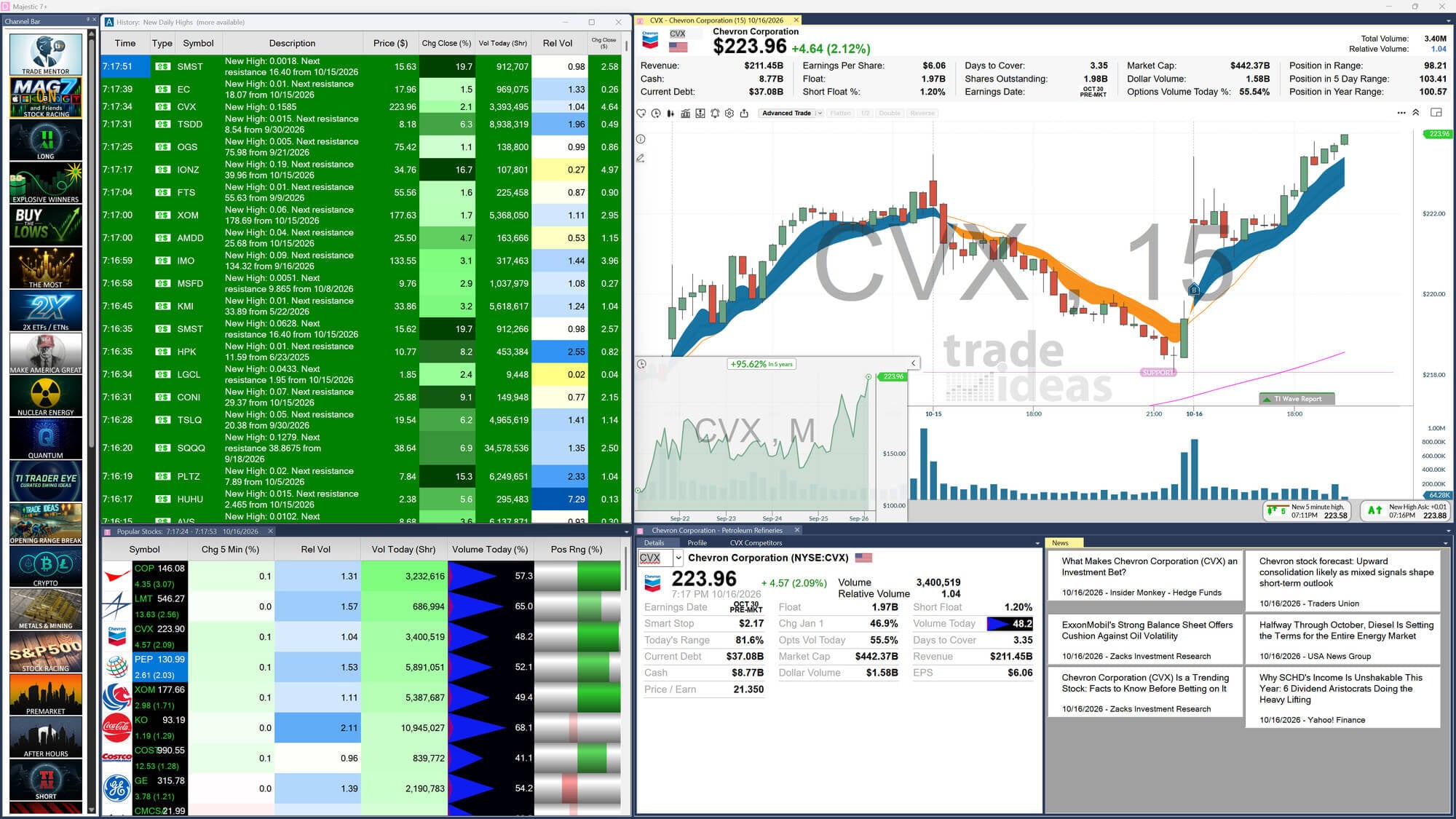
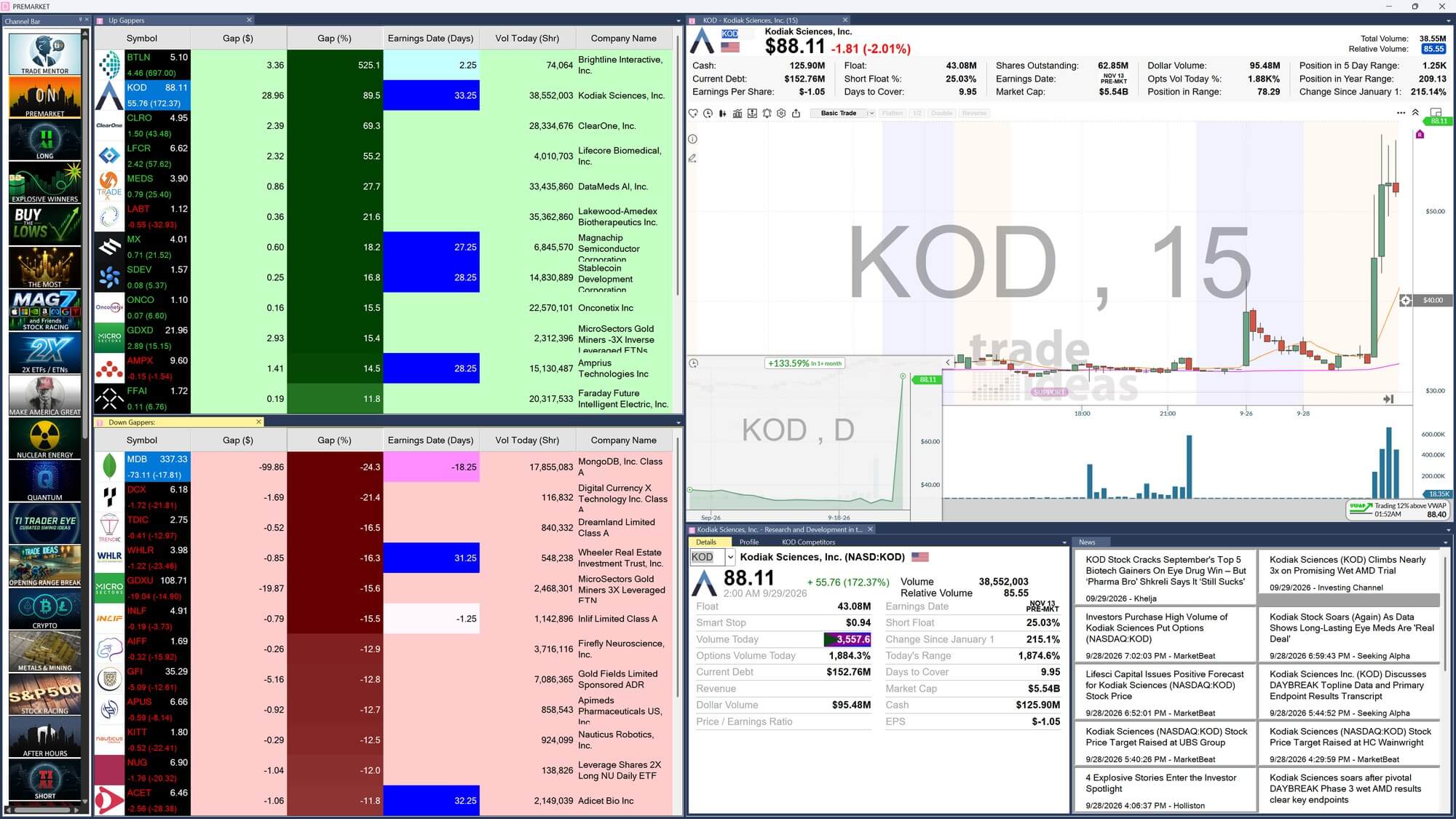
A real trading workspace brings scanning results, candlestick charts and stock information together. This screenshot shows how traders can monitor the market and inspect a symbol without switching between separate tools.
Screenshots show past interface states, not a live market feed. Click or tap to enlarge.
Who benefits from Trade Ideas, and who probably won’t?
A real-time stock scanner is valuable when its speed and alerts change your daily process. If you check prices only occasionally, the subscription can be difficult to justify.
A good fit when…
Probably not the best fit if…
A scanner that watches while the market moves.
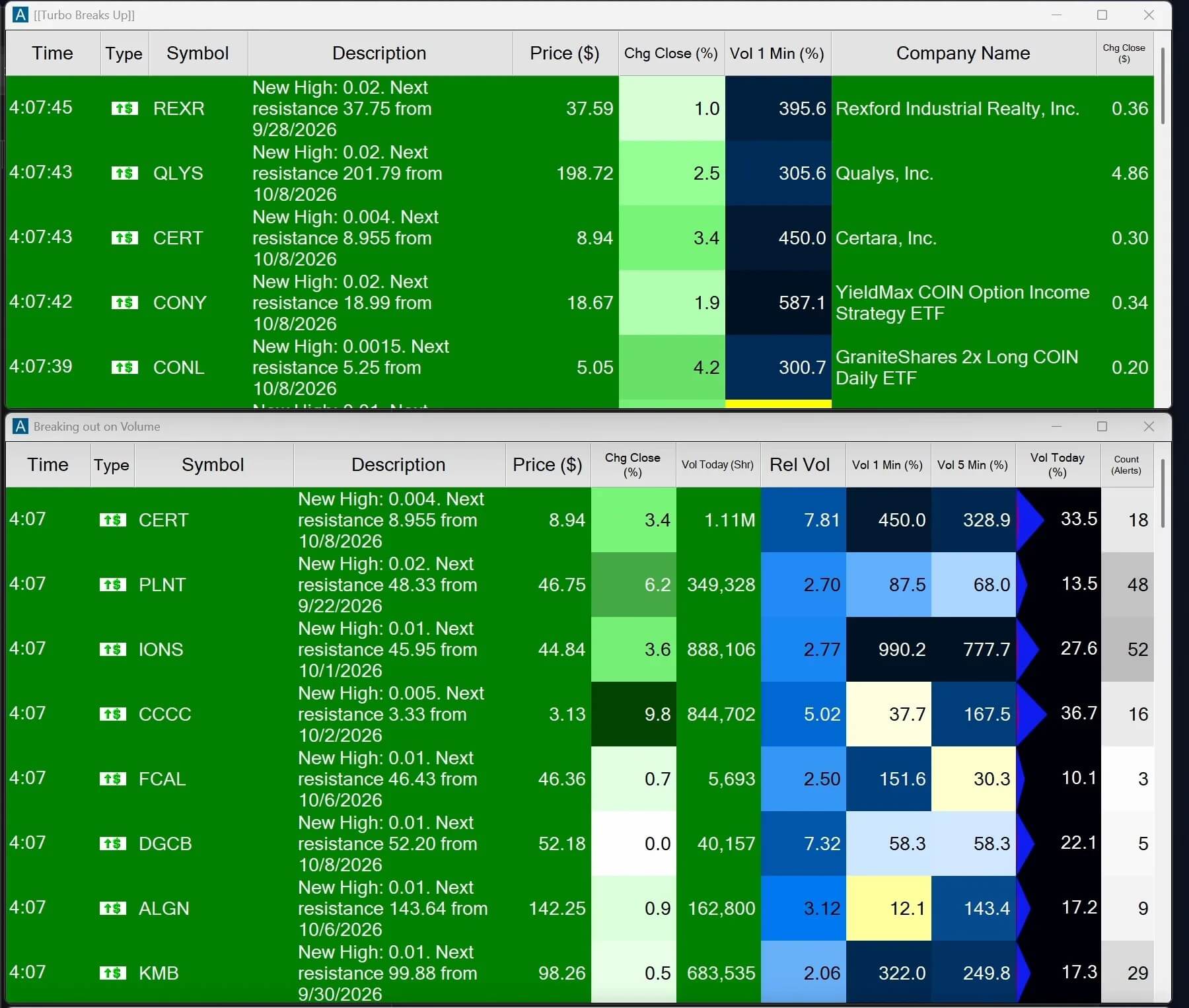
Streaming Alerts can trigger when a chosen event occurs. Top Lists keep a continuously updated ranking of symbols matching your filters. They solve different problems.
Define your setup
Combine price range, gap percentage, relative volume and other available conditions.
Get matching results
Use a Top List to rank candidates, or Streaming Alerts to watch for a specific event.
Evaluate the setup before deciding
Check context, liquidity, risk and execution. A scanner is a discovery tool, not an automatic buy signal.
The AI Assistant is useful for a simple reason: you can describe the scan.
Instead of locating each setting manually, ask the assistant to create a Top List or Alert Window. Then refine the rules in the same conversation. The AI Assistant is included in both Standard and Premium.
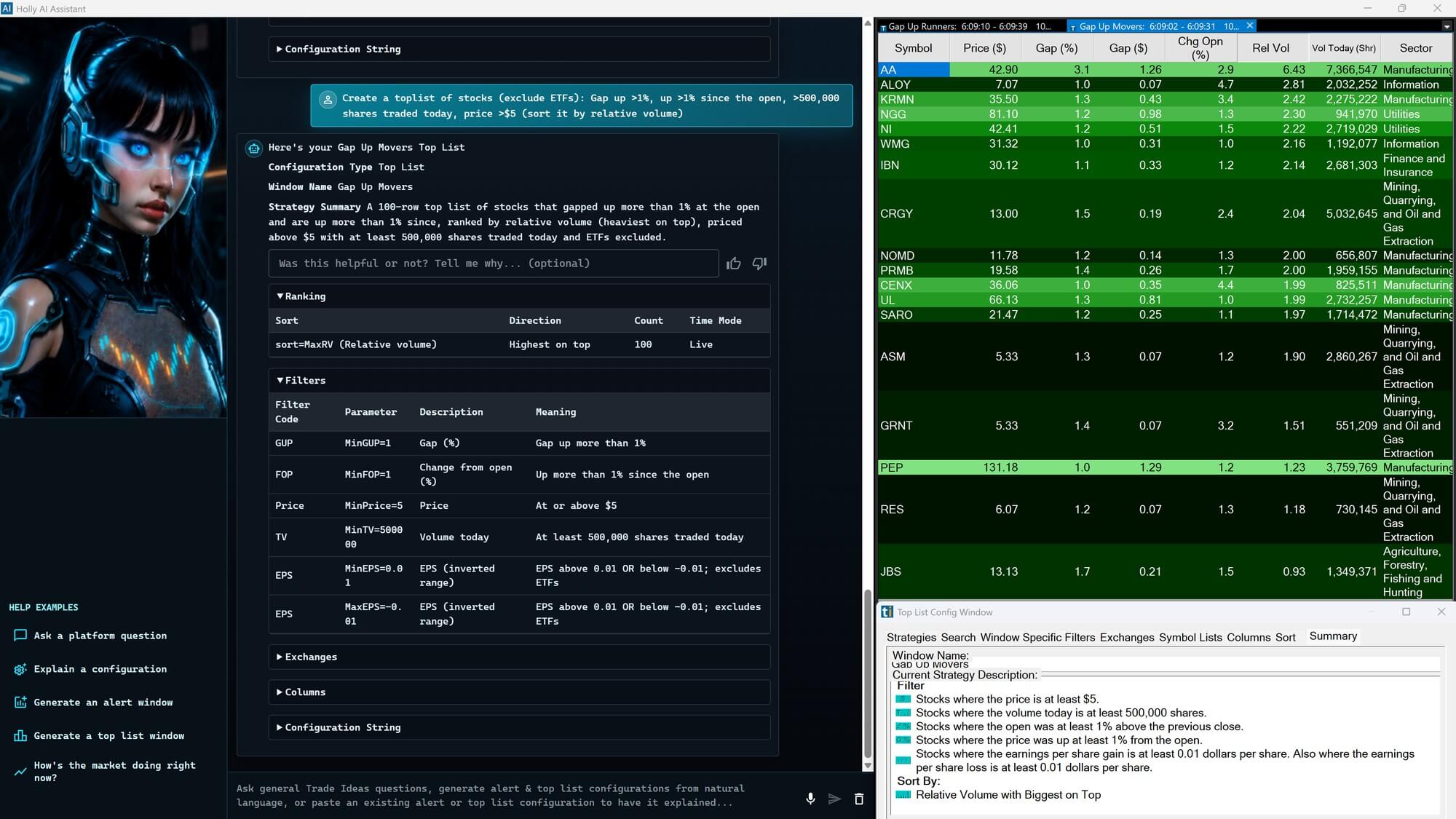
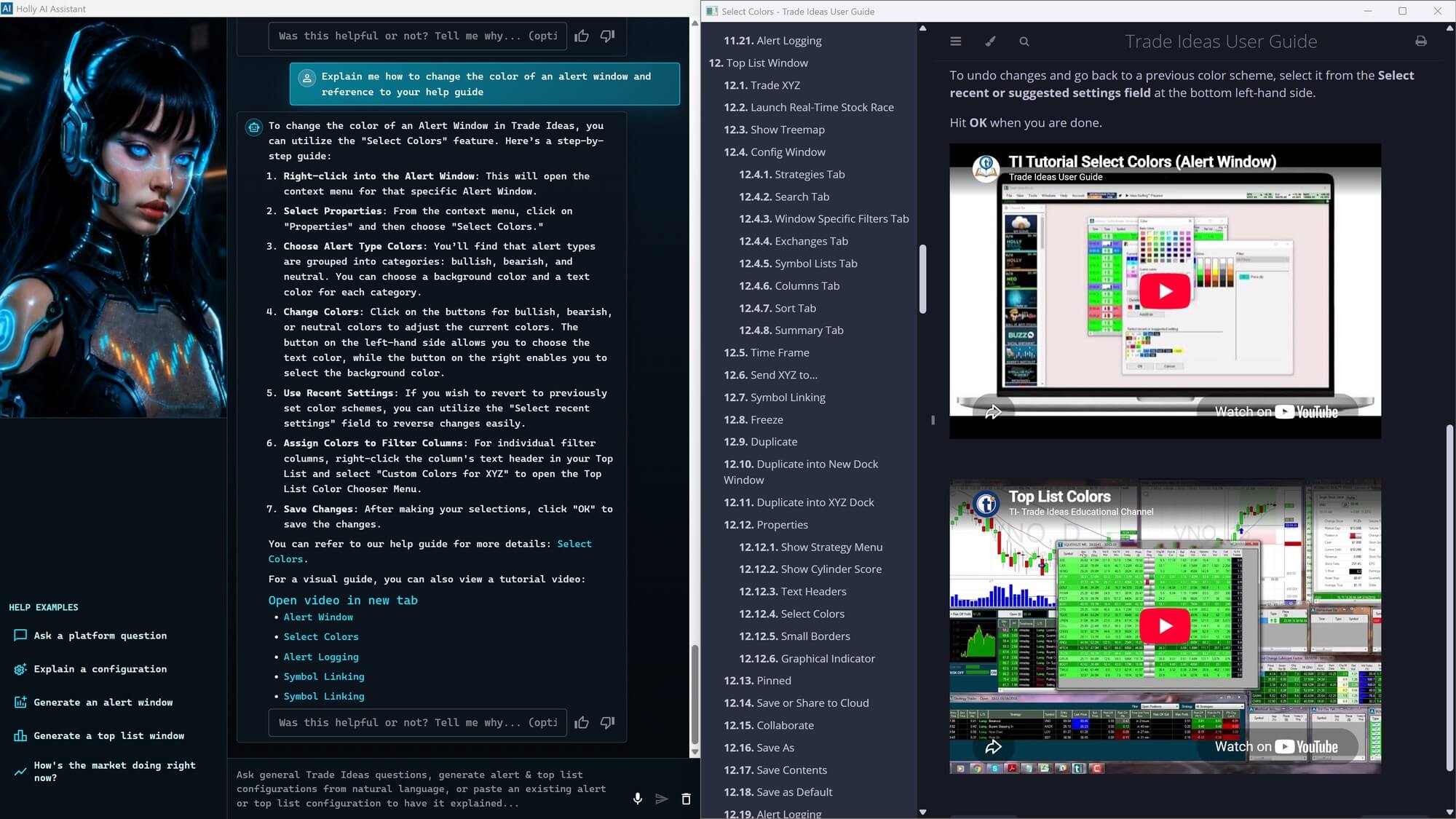
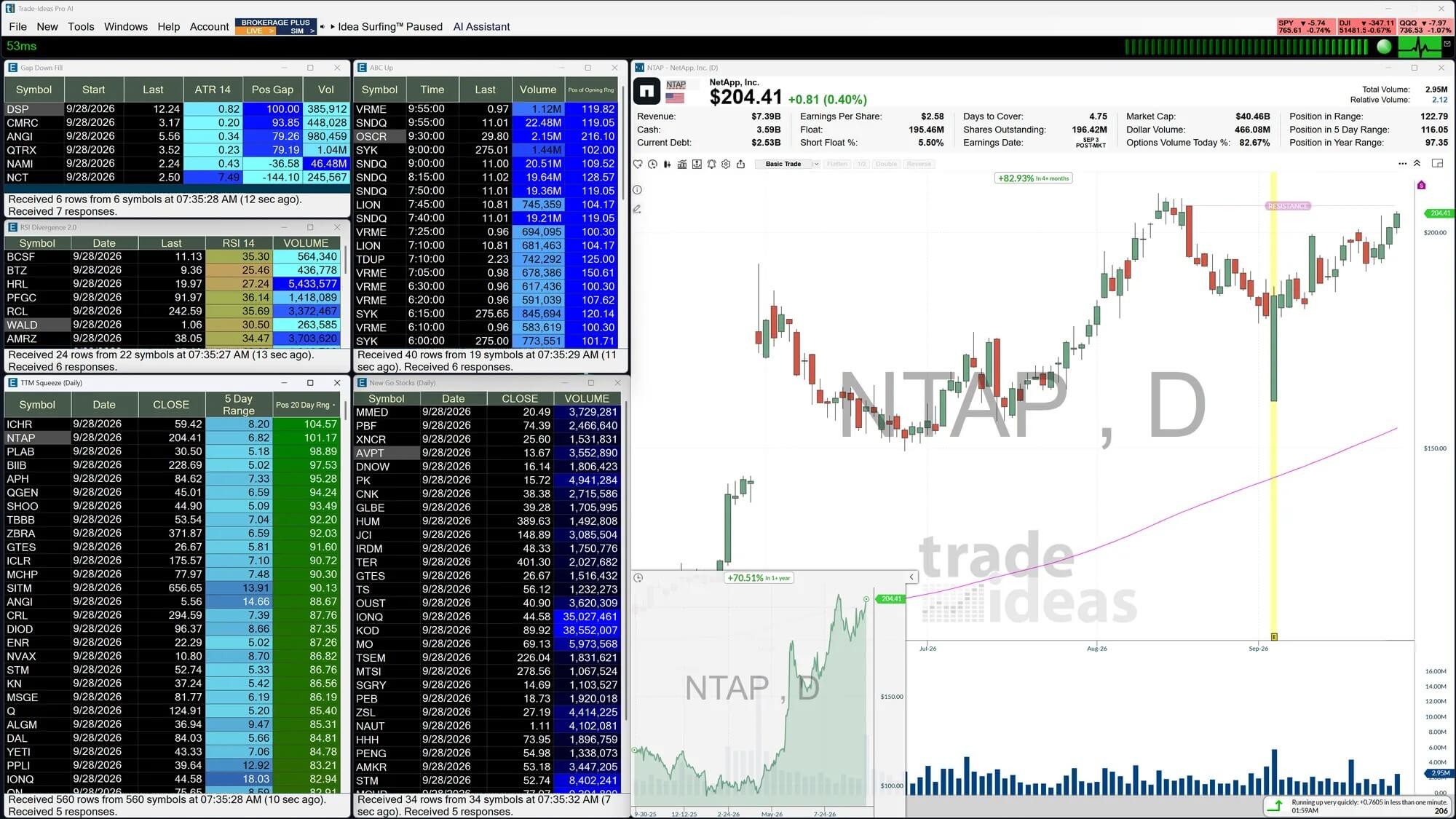
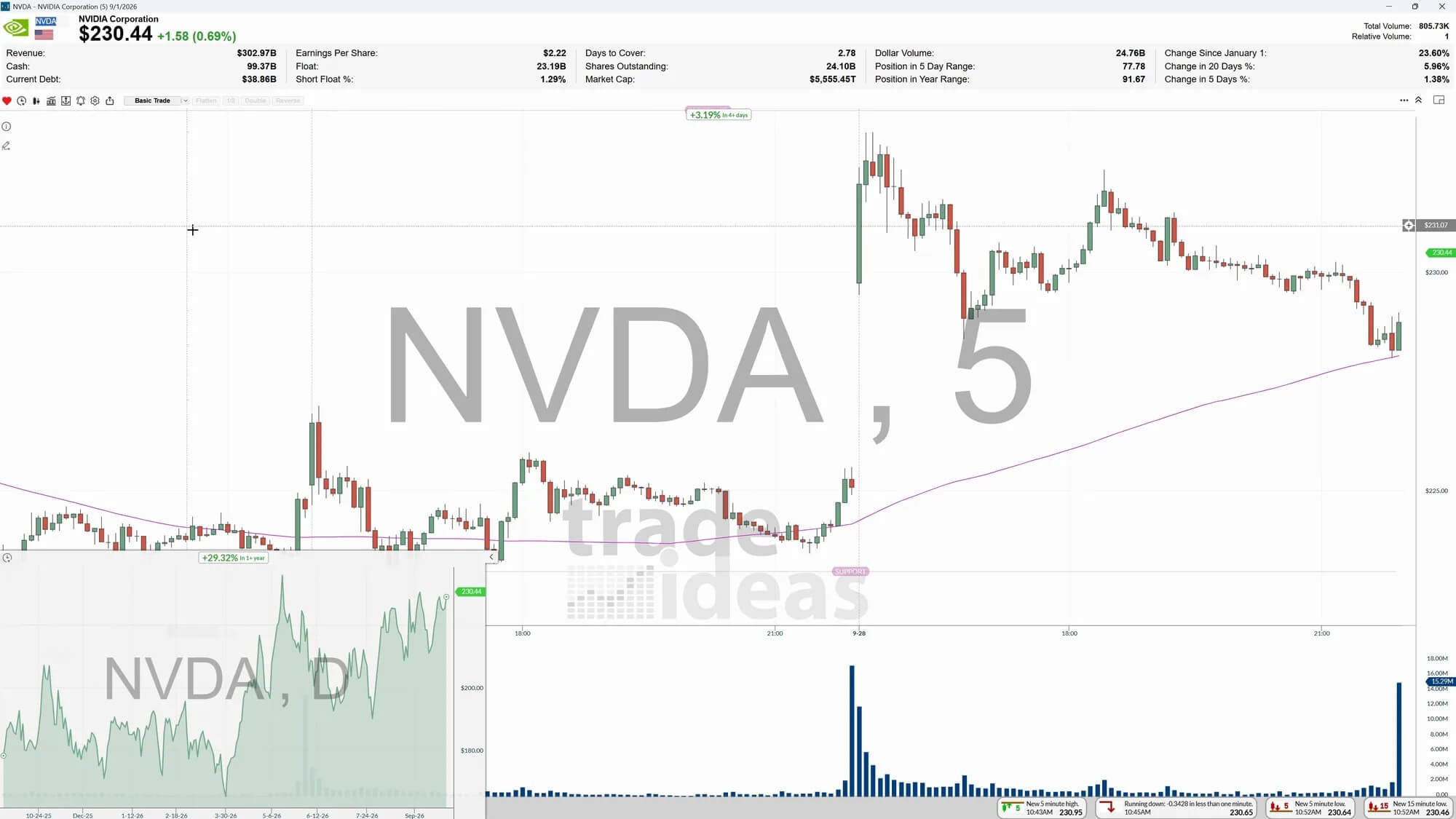
The screenshots show two practical examples. Click either image to inspect the Trade Ideas interface at full size.
From finding candidates to inspecting their charts.
Top Lists, ready-made strategies and multi-timeframe charts are all part of the workflow. Browse the actual interface below.
Trade Ideas Standard vs. Premium: Which plan do you need?
Both plans include live scanning, real-time alerts, paper trading and the same natural-language AI Assistant. The main reason to upgrade is access to Holly AI Signals, OddsMaker backtesting and more advanced trading tools.
AI Assistant ≠ Holly AI Signals. The AI Assistant creates the scans you request, provides helpful guidance around the clock, and makes it much easier to get started with Trade Ideas. It’s included in both plans. Holly AI, on the other hand, independently generates trading ideas and is available exclusively with TI Premium.
Standard / Core
For active traders who want fast scanning and custom alerts without paying for Premium extras.
Or $1,068 per year ($89/month equivalent)
What you get
- Real-time stock scanning and alerts
- Holly AI Assistant in plain English
- Market Explorer and ready-made scans
- Paper trading and up to 10 charts open at once*
Choose Standard if: You build your own setups and mainly want to spot market activity in real time.
View Standard planPremium / Apex
For traders who will regularly use automated signal research, backtesting or strategy automation.
Or $2,136 per year ($178/month equivalent)
Everything in Standard, plus
- Holly AI Signals
- OddsMaker historical backtesting
- Smart Risk Levels and Auto Trading
- Up to 20 charts open at once*
Choose Premium if: You can name at least one of these extras you expect to use every week.
View Premium planSave 15% on all Trade Ideas plans.
Copy STOCKAPP15, choose your plan and enter it at Trade Ideas checkout. The discount applies to your first monthly or annual payment.
See the differences at a glance.
All Standard features carry over to Premium. Premium adds specialized signal, analysis and automation tools.
Swipe sideways to compare Standard and Premium →
| Feature | Standard | Premium |
|---|---|---|
| Real-time stock scanner & Top Lists | Included | Included |
| Custom alerts & 500+ data points | Included | Included |
| Holly AI Assistant (build scans from text) | Included | Included |
| Market Explorer and ready-made scans | Included | Included |
| Simultaneous charts (maximum) | 10* | 20* |
| Real-time paper trading & in-app trading | Included | Included |
| Holly AI Signals | Not included | Included |
| OddsMaker backtesting | Not included | Included |
| Smart Risk Levels | Not included | Included |
| Auto Trading | Not included | Included |
Published list prices were checked against Trade Ideas on 16 October 2026; promotional totals show 15% off the first payment. Annual subscriptions are billed upfront. *Chart limits refer to the maximum number of chart windows open at the same time. These limits come from a recent plan walkthrough and should be reconfirmed with Trade Ideas. Features and prices can change.
What do the Premium extras look like?
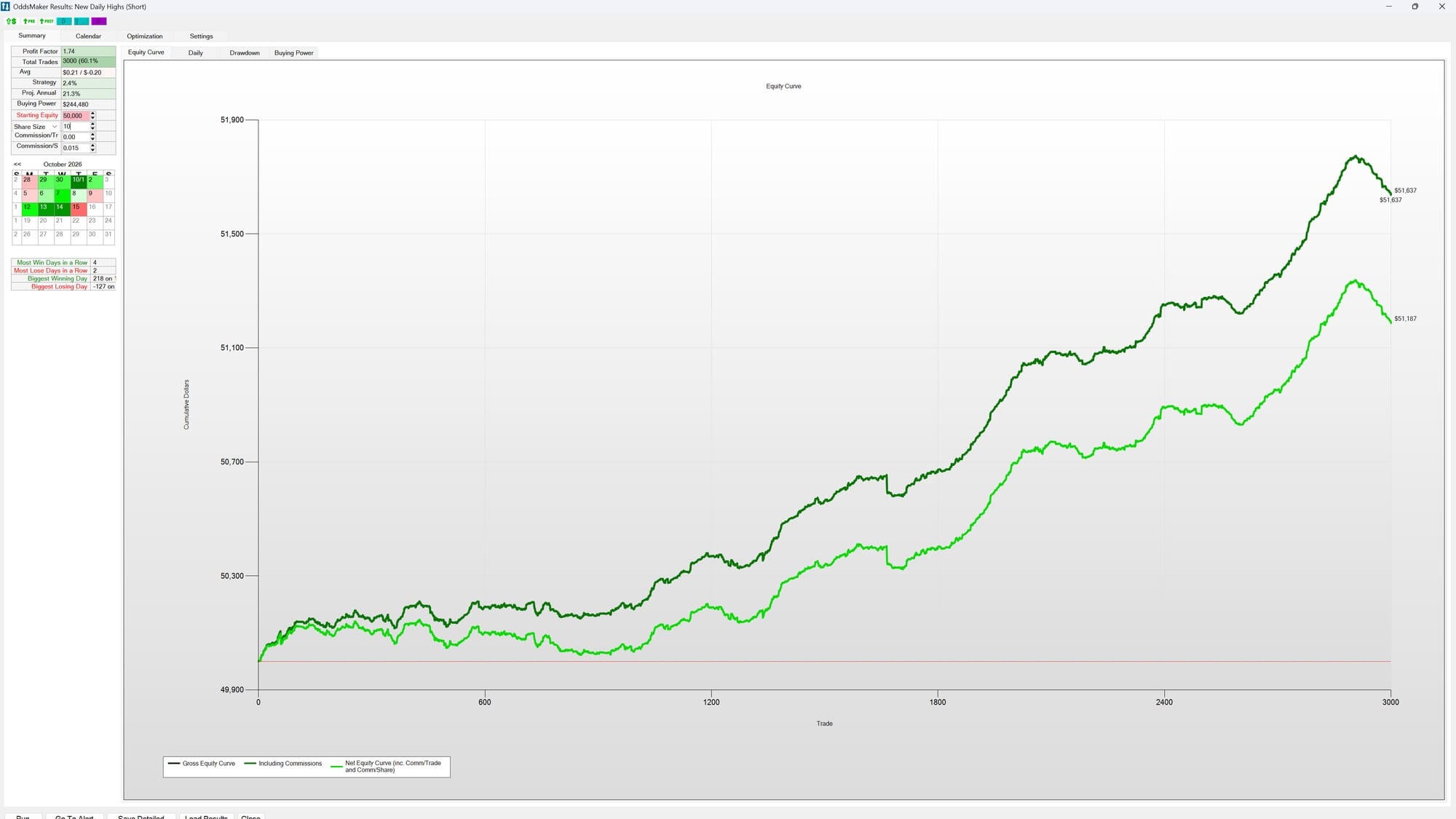
Premium adds automated signal ideas and tools for testing setups against historical data. Here is how those features appear in the platform.
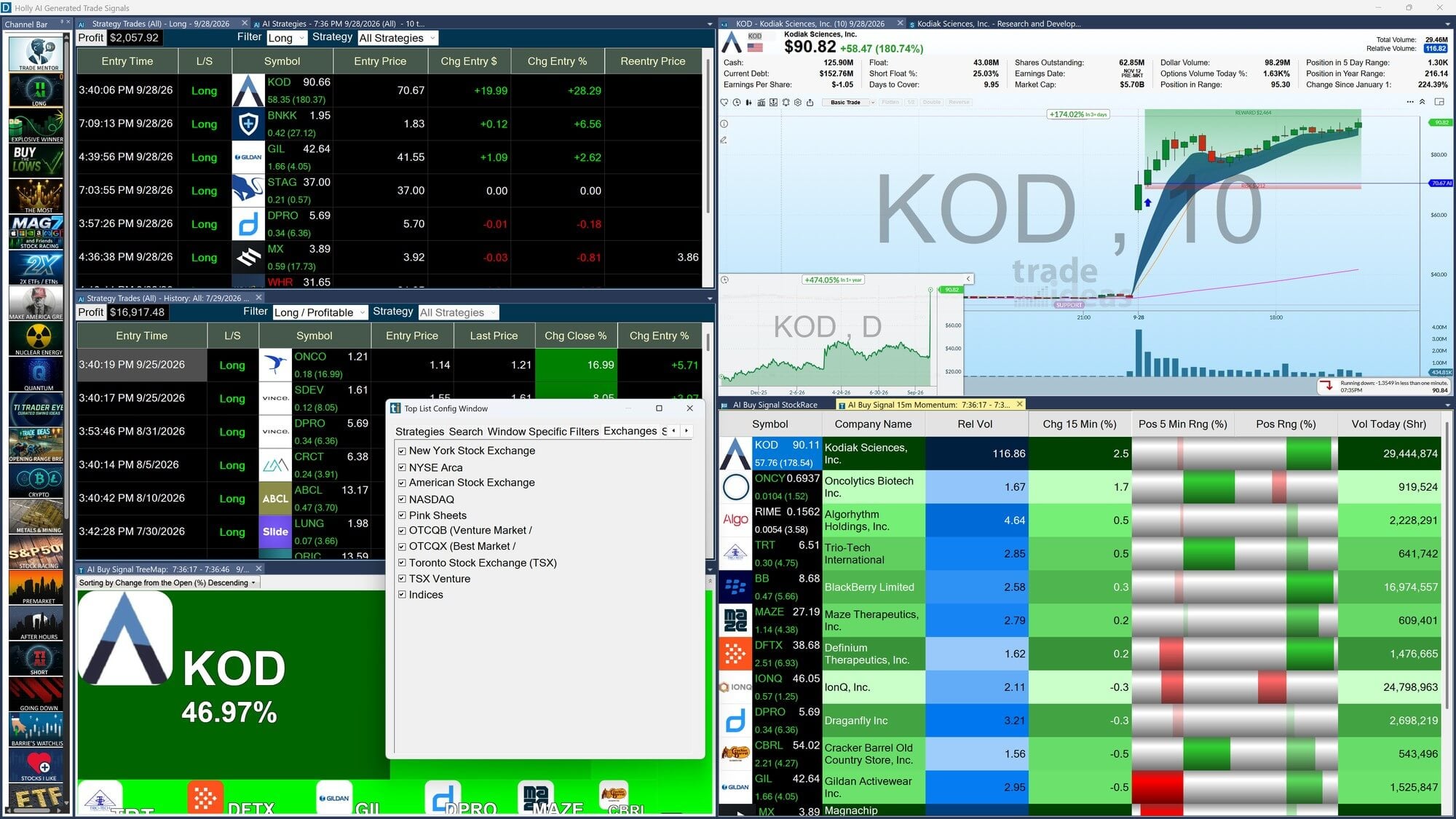
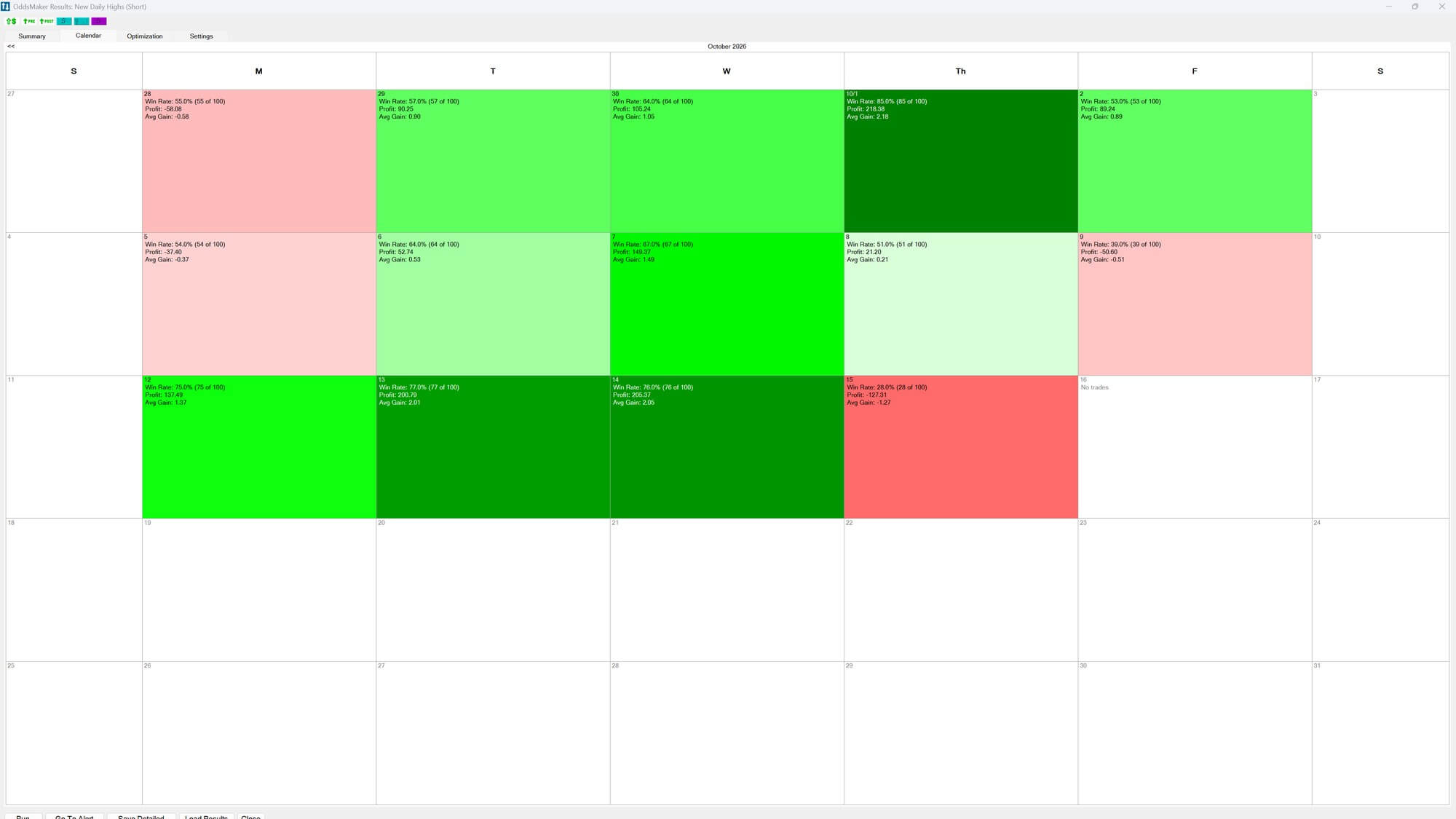
Important: These screenshots contain historical examples, not verified live trading returns. Past results do not predict future performance.
Three drawbacks to understand before buying.
Trade Ideas is feature-rich, but there are reasons it may not be the right purchase.
01. The price adds up
Standard costs $1,068 a year at list price, or $907.80 for the first year with code STOCKAPP15. If you only scan a few times a month, the subscription may still be hard to justify.
02. There is still a learning curve
Natural-language scan building helps, but multiple windows, alert rules and chart layouts still take practice. Plan time for setup.
03. Scans don’t replace a strategy
A breakout alert isn’t a validated trade. Filters can generate noise, historical results can mislead, and real-world execution adds risk.
Frequently asked questions.
Is TradeIdeasReview.com the official Trade Ideas website?
No. TradeIdeasReview.com is an independent affiliate review. Trade Ideas handles subscriptions and checkout. We may earn a commission from purchases through our links.
Does Standard include the new AI Assistant?
Yes. Trade Ideas says its Holly AI Assistant, which helps build Alert Windows and Top Lists from plain-English instructions, comes with both TI Pro plans. It is different from the Premium-only Holly AI Signals.
Can I use Trade Ideas for crypto, forex or futures?
Trade Ideas is primarily aimed at US stock and ETF workflows, rather than being a dedicated crypto, forex or futures scanner. Confirm exchange coverage, data entitlements and any regional restrictions directly with Trade Ideas.
Does Premium guarantee better trading returns?
No. Holly signals, backtesting and automated execution are tools, not profit guarantees. Strategy performance depends on market conditions, implementation and risk management.
What is the cheapest way to subscribe?
The published annual billing option has a lower monthly equivalent than paying month to month, but it requires paying the full year upfront. Compare the current promotions, refund policy and cancellation terms before subscribing.
How do I get 15% off Trade Ideas?
Copy STOCKAPP15, follow our plan link to Trade Ideas, and enter the code during checkout. The 15% discount applies only to your first subscription payment, monthly or annual as applicable. Renewals are charged at the regular price then in effect; confirm the final total before purchasing.
Should I buy Standard or Premium?
For live stock scanning, alerts and a plain-language AI Assistant, Standard covers the core tasks. Premium makes more sense if you specifically use Holly-generated signals, OddsMaker backtesting or automated trading on a recurring basis.
Choose the plan that fits how you trade.
Compare features and billing options on Trade Ideas before subscribing. Our link may earn us a commission.
15% off the first payment only. Enter code at checkout; renewals at regular price.